The seating chart,
minus the spreadsheet.
A guest scans. Voilà, they're at table twelve. No app, no account. You keep the evening.
No app, works on every phone · Free to start, seat up to 50 · No surprise charges
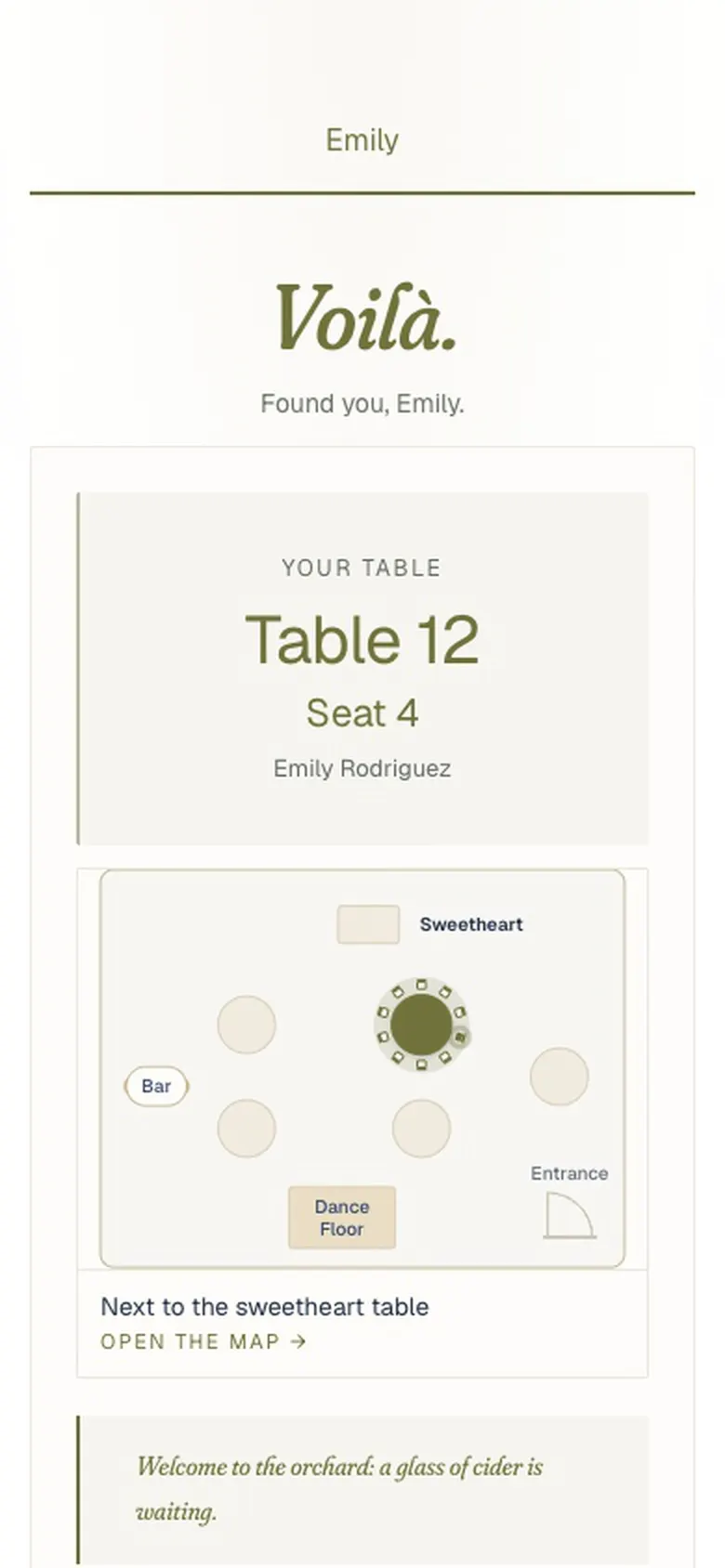
At the door, they scan and find their seat.
 Our own wedding · 111 guests · one QR at the door
The whole evening, in 45 seconds.
Don't take our word for it. Type a name.
This is the real guest flow: the same search your guests see after they scan.
Go ahead, tap a name or type your own ↓
Camille & Thomas · June 12, 2027
Searches by first name, last name, or alias your host added.
Every guest page includes
- RSVP
- Seats
- Tablemates
- Schedule
- Menu
- Photo album
- Notes to the hosts
The full sample event (menu, schedule, photo album) lives at /demo →
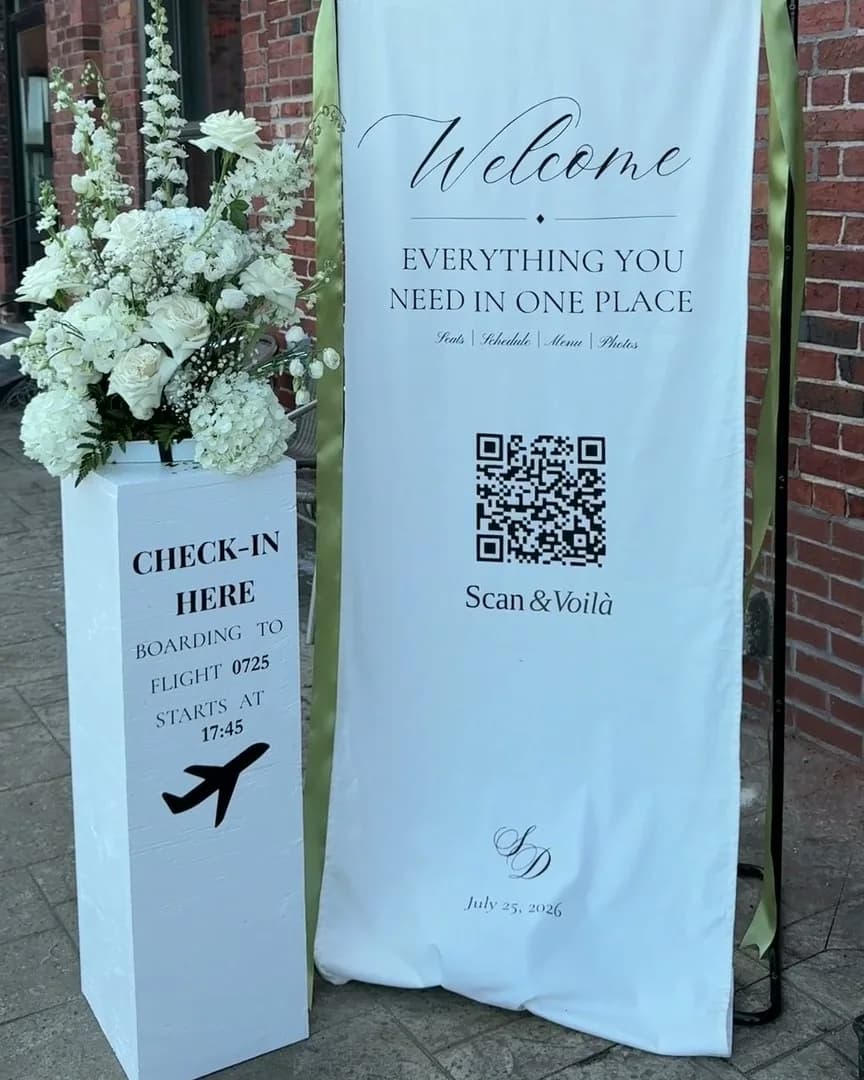
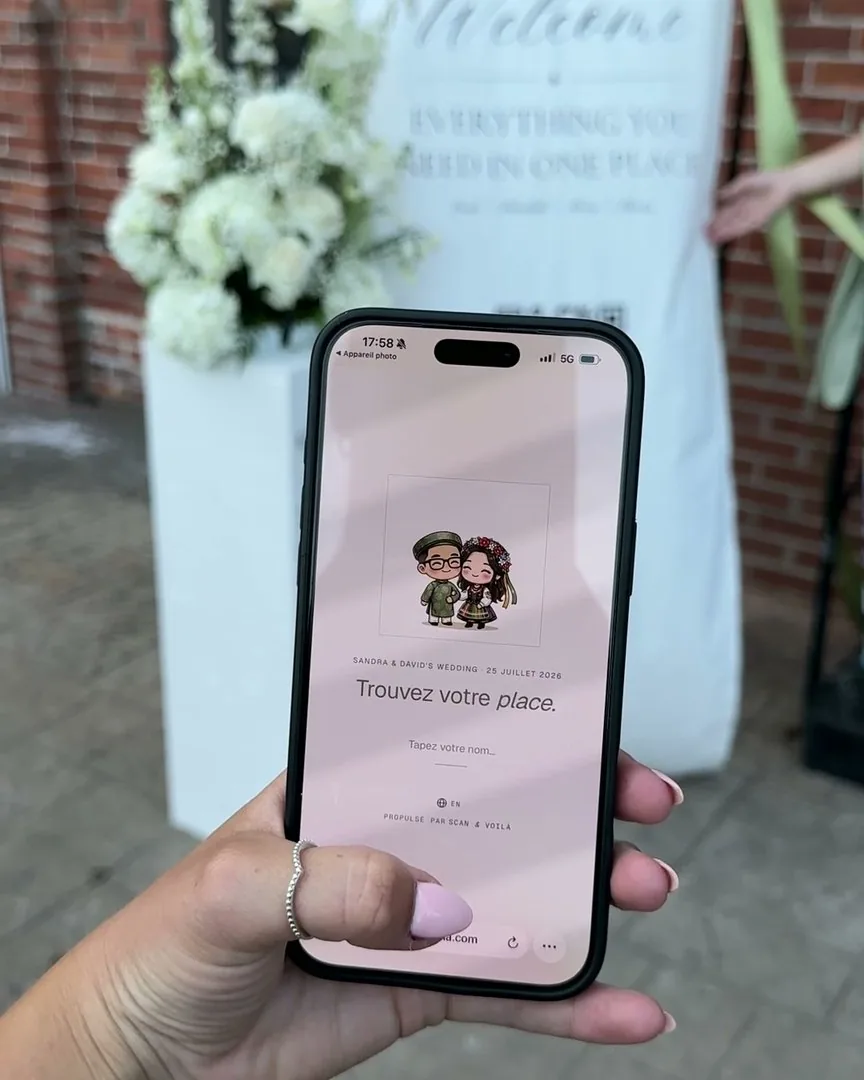
Scan & Voilà ran its first wedding before it had a name: ours. One QR at the door, and nobody had to ask where they were sitting.
Our own wedding · 111 guests · one QR at the door · July 2026
“So nice that I want to use it for my own wedding next year.”
“Super easy to use — I loved seeing who I was seated with, and uploading photos took seconds.”
Plan your event the easy way.
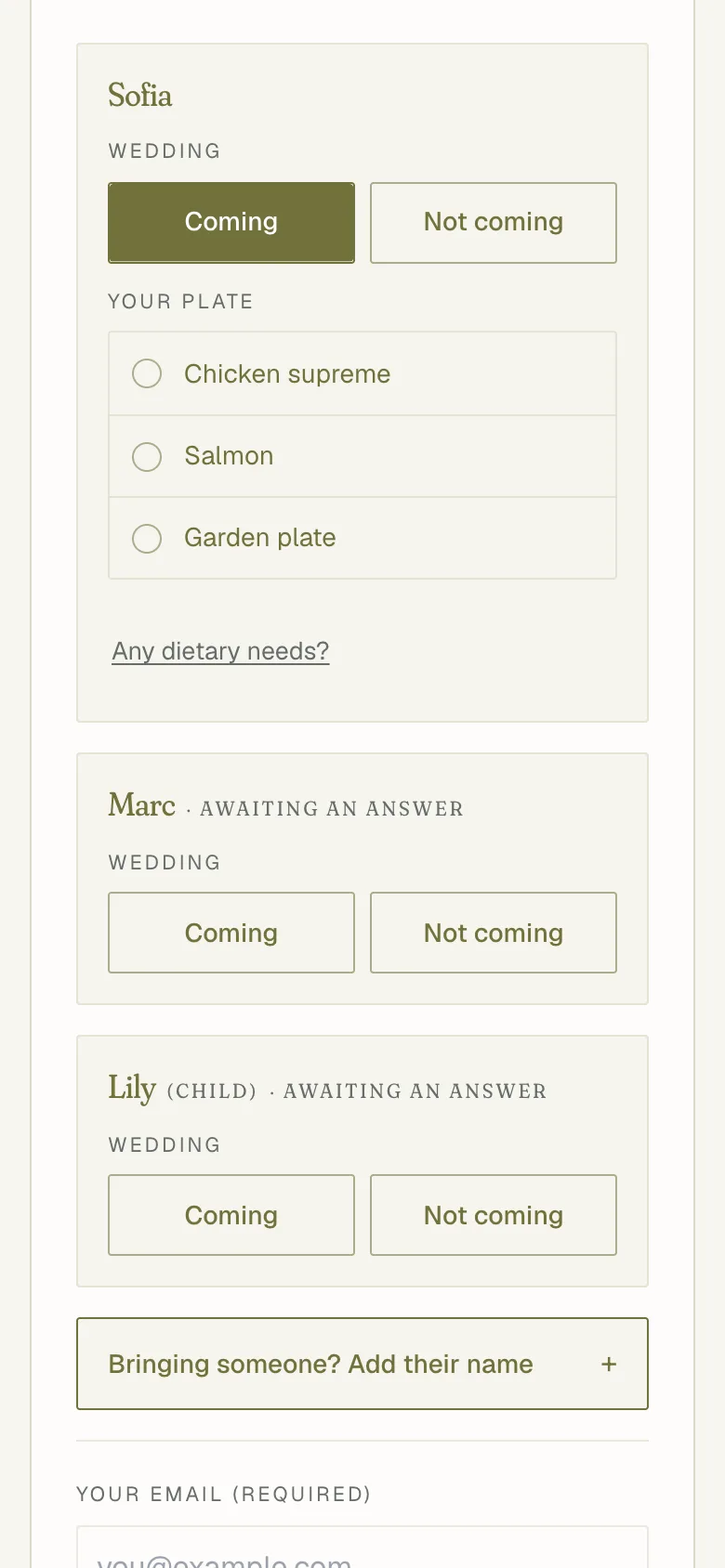
Upload your guest list from a spreadsheet, or paste it in, then never open that spreadsheet again. Send one link: each guest finds their name and replies on your event’s own page, for their whole party, meals and plus-ones included.
The same event, two ways.
What you do with Scan & Voilà, next to the same job done with a group chat, a spreadsheet and a poster.
- Your work
- Waiting or redoing
- Done for you


- One RSVP linkOne link for every RSVP
- One live chartOne seating chart, always current
- One QR signOne QR at the door
Voilà. You’re done.Your part is done.
Then it’s on usScan & Voilà takes over from here
- RSVPs file themselvesRSVPs land on your guest list
- Changes go liveA last-minute change is live on the next scan
- Guests find their seatGuests find their own seat
The usual way
- Texts, emails, paperCollect RSVPs by text, email and paper
- Retype it allRetype them into a spreadsheet
- Chase late repliesChase down the late RSVPs (waiting or redoing)
- Build the chartBuild the seating chart
- Print the posterDesign and print the poster
- Drop-out. Reprint.Someone drops out. Reprint. (waiting or redoing)
One crowded poster.Everyone crowds one poster.
We’ll handle the RSVPs, the final headcount, the last-minute changes and every “where do I sit?”. You have guests to welcome.
Every event has its own page.

For weddings
RSVPs, a page for the day, sweetheart tables, and the cousins who reply late anyway. The classic.
Scan & Voilà for weddings →
For corporate events
Galas, fundraisers, holiday parties: RSVPs and dietary needs in one place, sponsor tables, zero check-in lines.
Scan & Voilà for corporate →
For planners & venues
Run every client's event from one dashboard. Re-use rooms, layouts and lists.
Scan & Voilà for planners →One evening. Or every evening.
No seats-per-month, no "contact sales." Free for small events. Premium for the big night. Pro for planners running one of these every weekend.

Start here
- One event at a time · seat up to 50 guests
- RSVPs for every guest you invite
- Your event’s own page, in four looks
- Unlimited tables
- Floor plan editor
- QR code sharing
- CSV import & export

Your event
- Unlimited seating · one event at a time
- RSVP reminders, sent for you
- Cover photo on your page, the seat search and place cards
- Printable place cards · 4 per sheet
- Photo memories album · guests add photos as the night happens
- Custom event font, accent color, page background
- Your own mark in the QR code
Refundable until you activate any premium feature.

Every event
- Unlimited events, always
- Everything in Premium
- Re-use layouts & guest lists
- Multi-event dashboard
- Priority email support
The questions every host asks first.
No. They point their phone camera at the QR, the page opens in the browser, they type their name. No app, no account, no sign-up. It works on a six-year-old Android the same as a new iPhone.



Free to start · seat up to 50
Ready to wow your guests?
An afternoon to build. One scan at the door. And your Sundays back.