
Seat guests on a computer or a phone
1 min readWorks on your phoneUpdated Sep 23, 2026
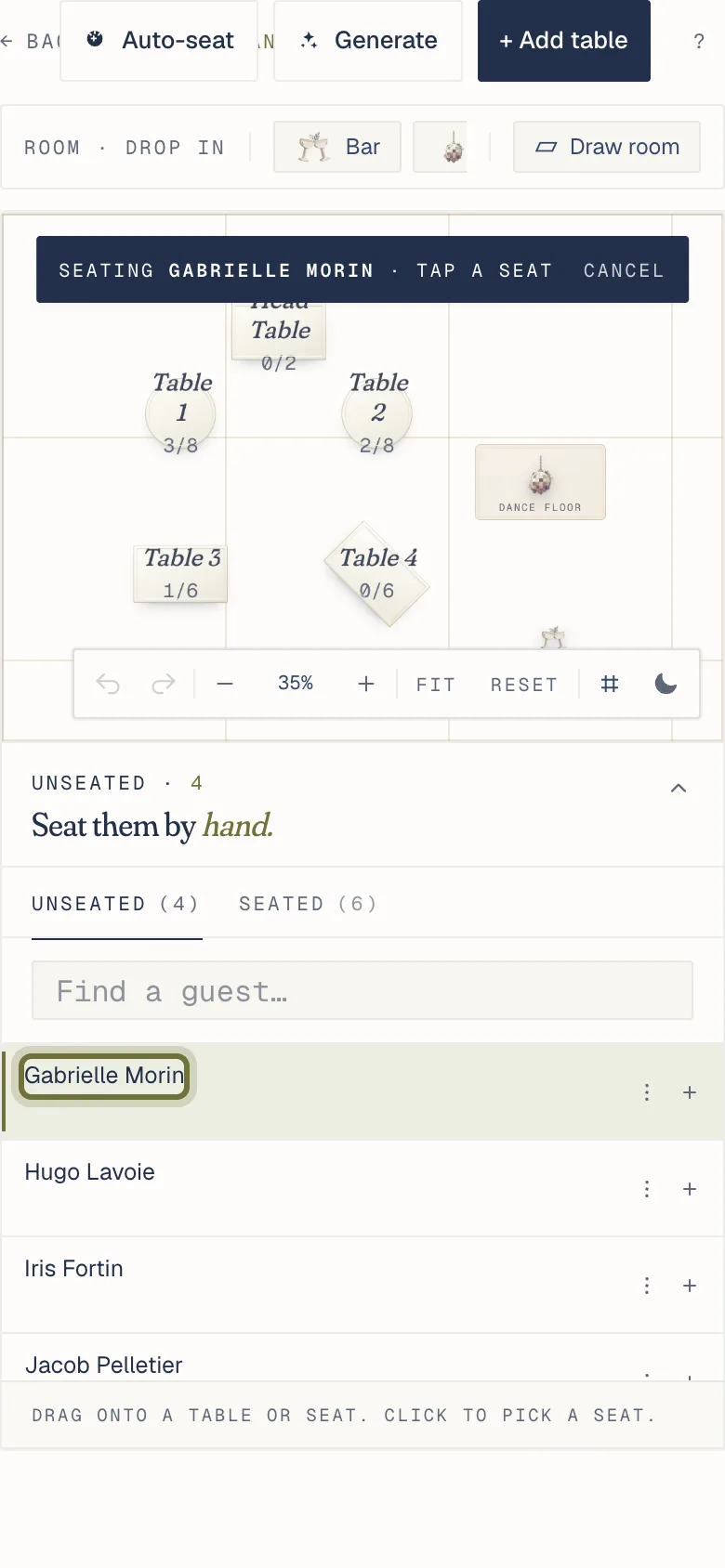
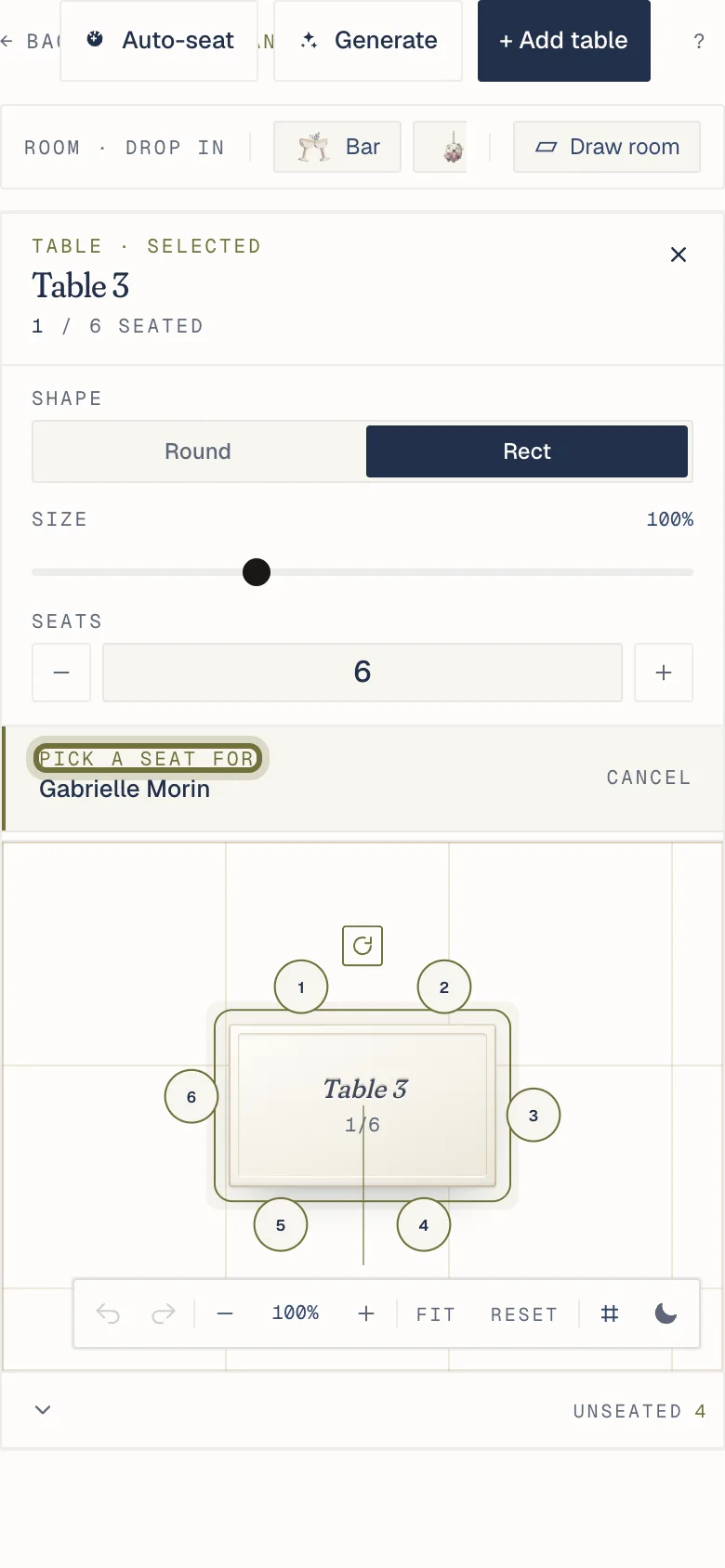
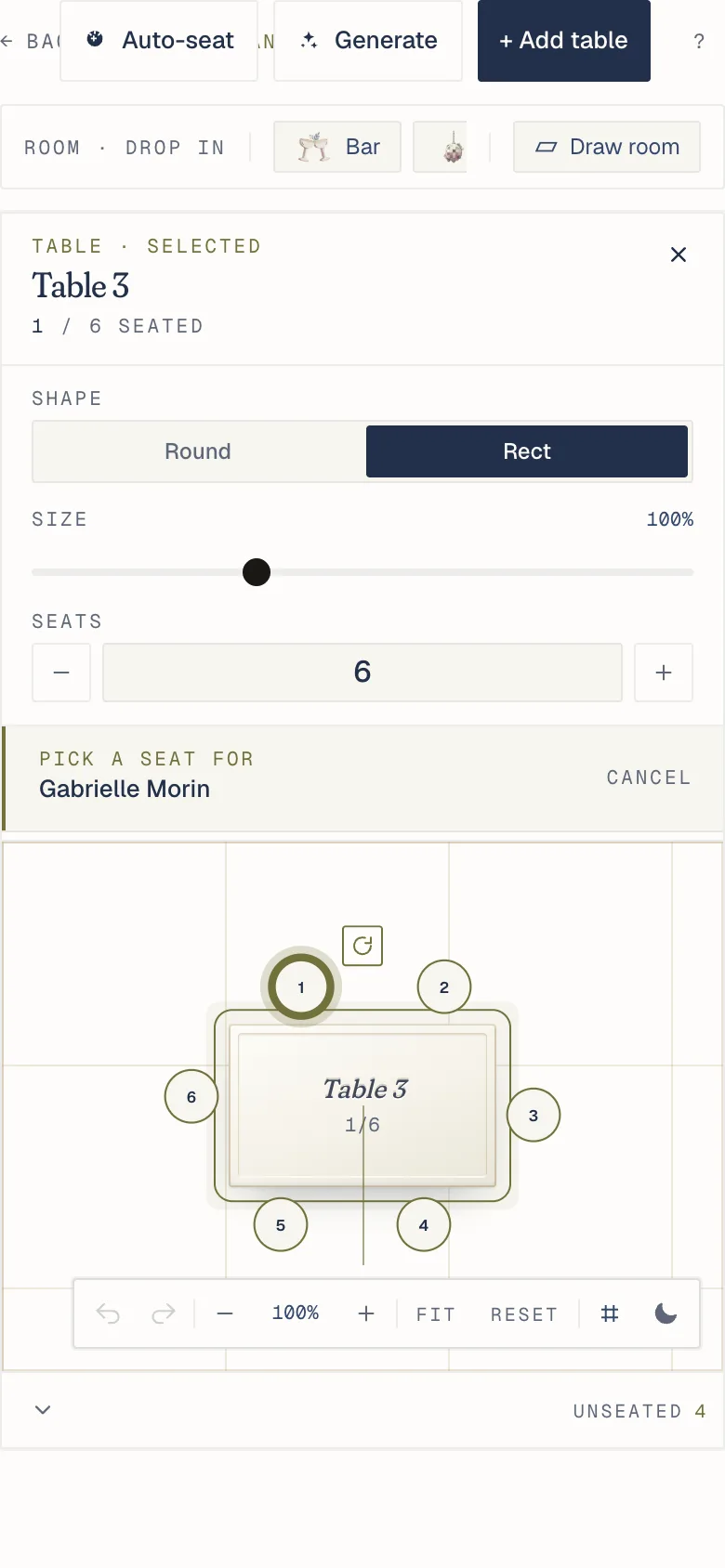
On a computer, drag a guest from Unseated onto a seat. On a phone, tap the guest, then the table, then a seat.
On a computer, drag a guest from the Unseated list onto a table for its next free seat, or onto a specific seat.
On a phone:
- Tap the guest.
- Tap the table.
- Tap a seat.
Every move saves on its own, and the next guest who scans sees it.
Watch it
Related
Did this help?
A person answers.
We reply within one business day, Monday to Friday. If your event is in the next 3 days, write “Urgent” in the subject line and we’ll look at it first.