
What guests see: the seat card and tablemates
1 min readUpdated Sep 23, 2026
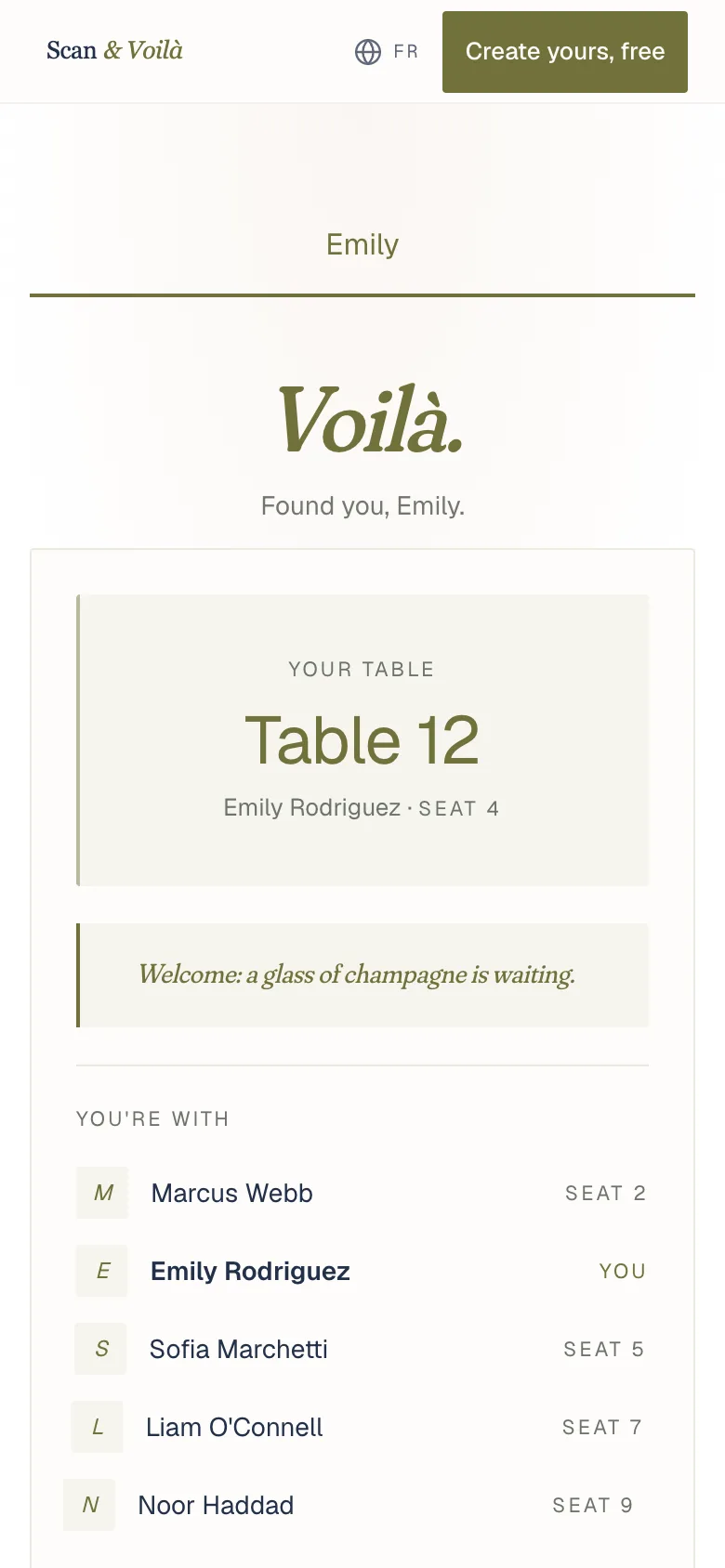
After the search, each guest sees their table and seat, your greeting and anything you added for them. Tablemates show when you switch them on.
Once a guest finds their name, their seat card opens: your greeting, their table and seat, and anything you added for them, like their meal or a note.
With “Introduce tablemates” on, the card also lists who they’re sitting with. It helps when two families meet for the first time.
Under “More for you”, the guest opens the rest you’ve added, like the schedule, the details and the menu.
- Open Settings.
- In “What guests can open”, switch on “Introduce tablemates”.
Try it on your own phone with “Preview as a guest”, on the QR card of your overview.
What guests will see
Related
Did this help?
A person answers.
We reply within one business day, Monday to Friday. If your event is in the next 3 days, write “Urgent” in the subject line and we’ll look at it first.